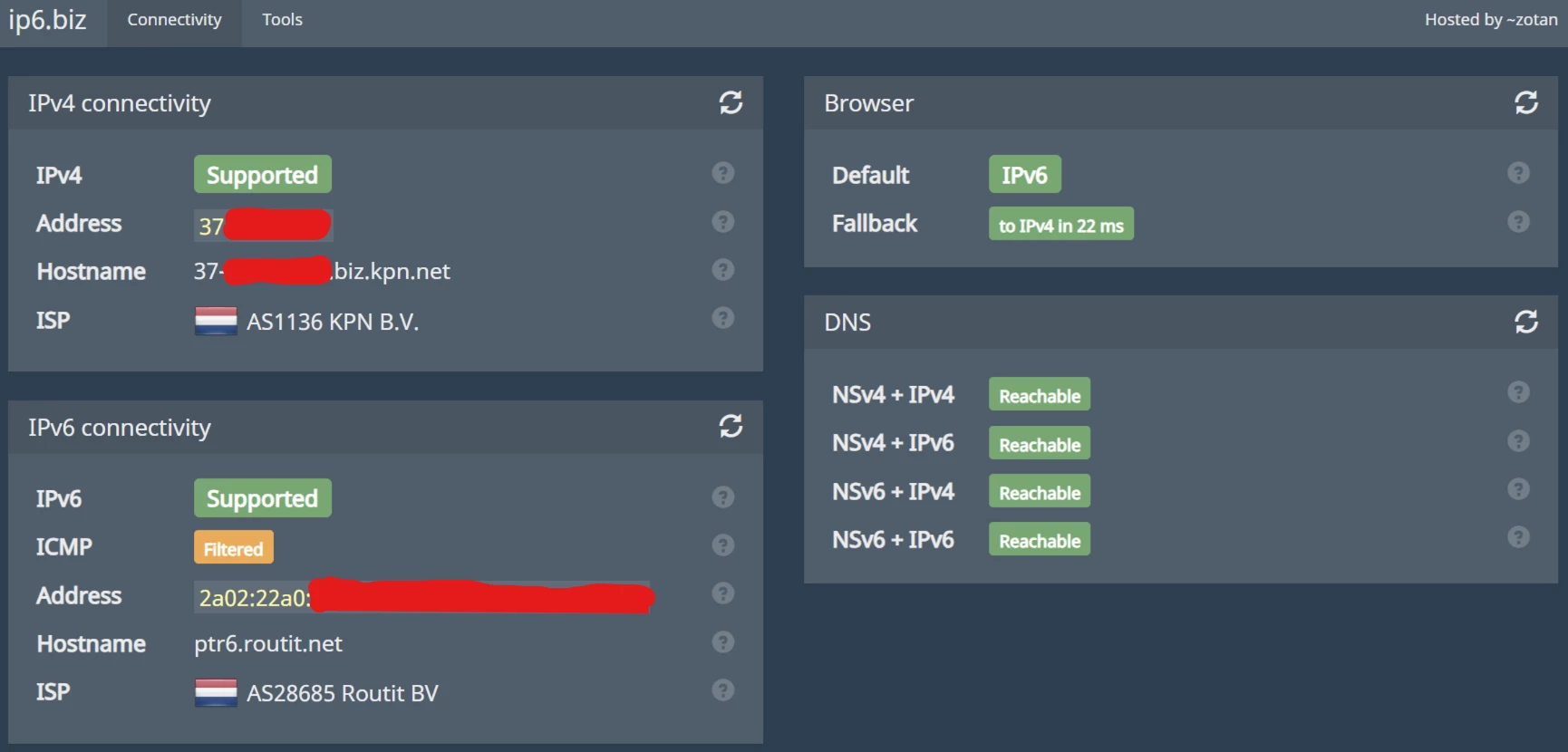
Settings up IPv6 on KPN EEN MKB (RouteIT) + Unifi
10 Feb 2026 - sebas
This is a guide to get IPv6 working on a KPN EEN MKB (business, a.k.a. RouteIT) fiber connection and a Unifi router (e.g. UDM SE or UDM SE).
It is based on this forum thread.
Physical setup
The KPN EEN MKB fiber connection comes with an ONT that converts the fiber signal to Ethernet, which can be plugged into the WAN port of the Unifi router.
It should be possible to connect the fiber directly to the WAN port of the Unifi router using a suitable SFP module, but I haven’t tried this.
Required info from KPN
Go to mijnzakelijk.kpn.com and log in with your business account. Go to “Hulp en Service” > “Product gebruiken” > “Internet” > “Apparatuur instellen en gebruiken” > “Ik wil mijn IP-adres weten”. Under “Geeft dit antwoord op je vraag?” click “Nee”. On the next page, again under “Geeft dit antwoord op je vraag?” click “Nee”. Ask the following question: “Ik wil IPv6 activeren op mijn verbinding en mijn IPv6 adres weten” and submit it.
You should receive a reply with the following information:
- IPv6 prefix: e.g.
2a02:0123:4567:8900:: - IPv6 prefix length: e.g.
56
Unifi setup
WAN settings
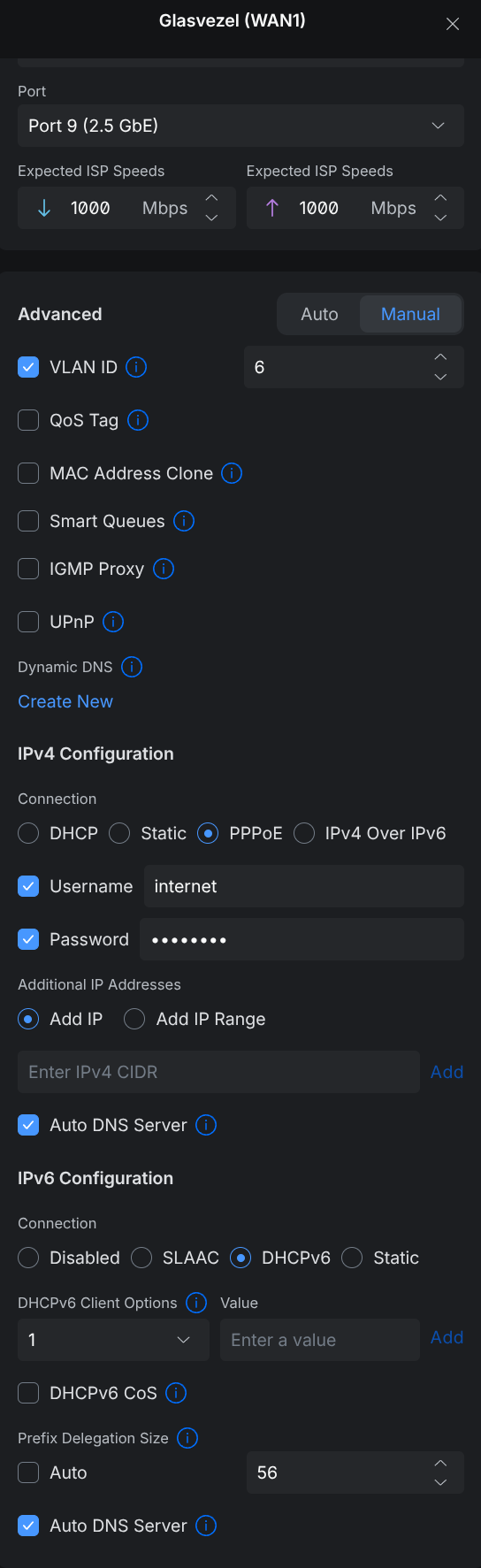
Go to the WAN settings and set it up as follows:
- Advanced
- Advanced: Manual
- VLAN ID: 6
- IPv4 Configuration
- Connection type: PPPoE
- PPPoE username: anything (e.g.
test) - PPPoE password: anything (e.g.
test)
- IPv6 Configuration
- Connection type: DHCPv6
- DHCPv6 prefix delegation size: provided by KPN, e.g. 56
LAN settings
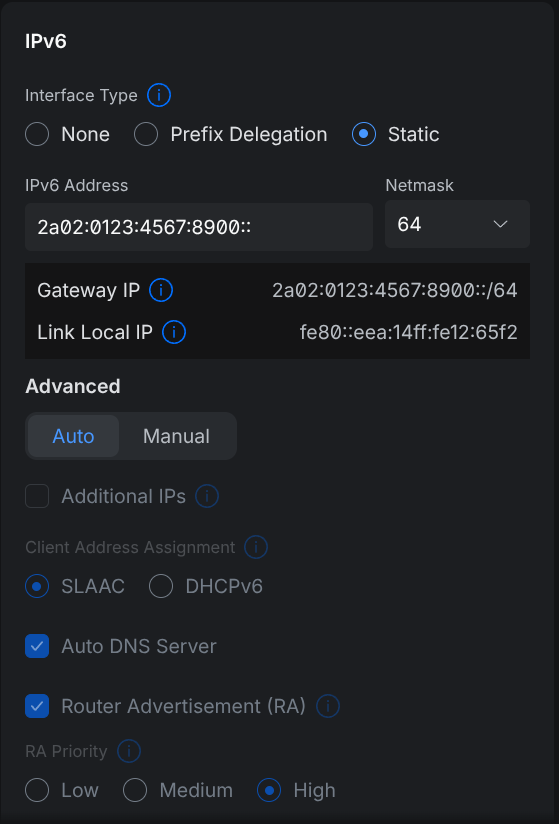
Go to a LAN network and set it up as follows:
- IPv6 Configuration
- Interface type: Static
- IPv6 address: provided by KPN, e.g.
2a02:0123:4567:8900:: - IPv6 netmask: 64
Note: usually you will receive a /56 prefix from KPN, meaning you can vary the last two digits (00 in the example above) and use a different /64 prefix for each LAN network.
Network overview
After setting up the WAN and LAN settings, you should see something like this in the network overview:
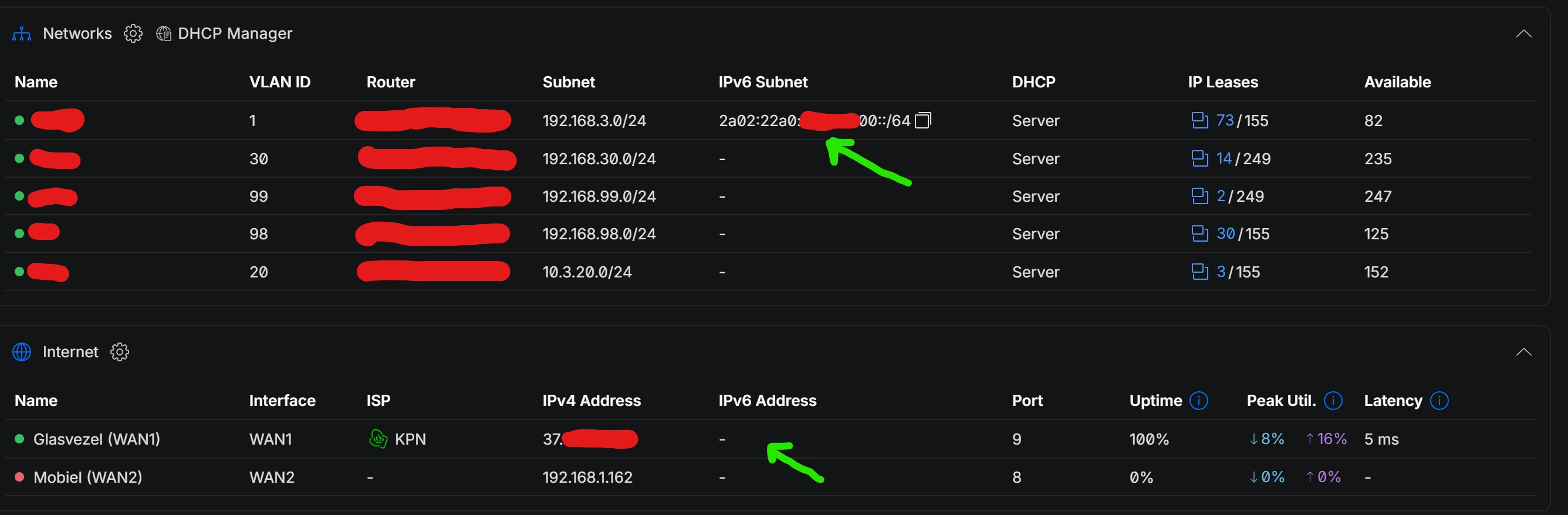
Note that the Internet/WAN interface does not show an IPv6 address. This is expected.
Conclusion
With this setup, you should have a working IPv6 connection on your Unifi router with KPN EEN MKB fiber. You can verify this by visiting ip6.biz or similar websites that check for IPv6 connectivity.